Overview
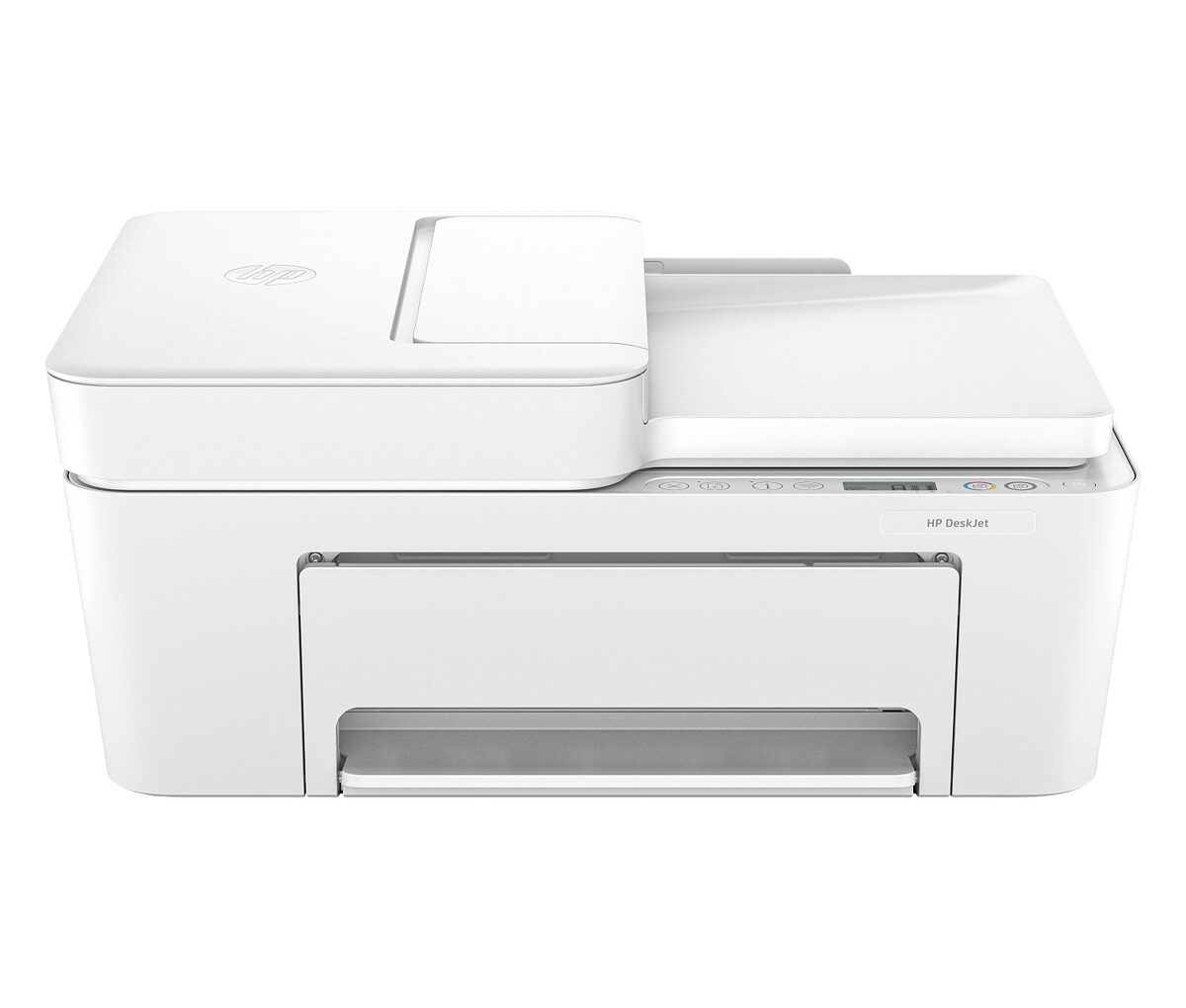
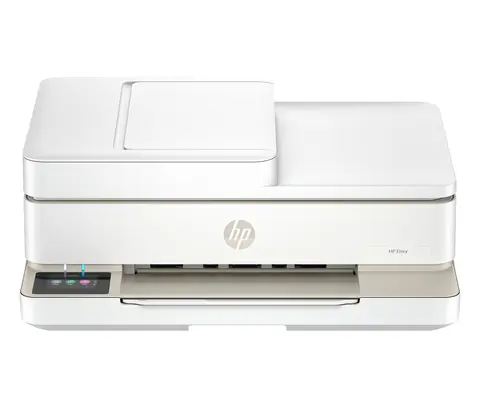
The HP DeskJet 4255e steps up from the entry-level DeskJets with a 35-sheet automatic document feeder, making multi-page scans and copies effortless. Faster print speeds, dual-band Wi-Fi, and the HP Smart app make it the right pick for hybrid workers, students, and families with regular printing needs.
Set up the HP DeskJet 4255e All-in-One Printer in about five minutes with the HP Smart app, then print, scan, and copy from any phone, tablet, or laptop on your network. Dual-band Wi-Fi keeps the connection rock-solid, and the included starter ink lets you print right out of the box.
Every order ships free via Standard Ground inside the United States, backed by our 30-day return window and the full HP manufacturer warranty. Need help choosing or have a question after delivery? Our US-based support team is one email away — see the Contact page.
Key Features & Benefits
- Print, scan, copy — replaces a separate printer, scanner, copier, and (where listed) fax.
- Up to 8.5 ppm black / 5.5 ppm color — keep meetings on schedule and stop waiting on warmup beeps.
- Up to 4800 x 1200 dpi color — sharp text, accurate color, and lab-quality photos when you need them.
- Wi-Fi (dual-band), USB 2.0 — connect to any modern home or office network in minutes.
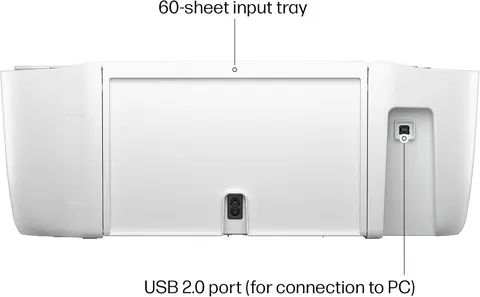
- 60 sheets input — fewer paper-tray reloads and fewer interruptions.
- 35-sheet automatic document feeder — load a stack and walk away while it scans, copies, and (where supported) faxes hands-free.
Who It's For
The HP DeskJet 4255e All-in-One Printer is designed for students, families, and anyone who wants a friendly, affordable home printer for homework, online forms, the occasional photo, and everyday scanning and copying.
Common Use Cases
- Homework, school assignments, and worksheets
- Forms, recipes, digital coupons, and shipping labels
- Occasional 4×6 photo printing
- Mobile printing via the HP Smart app
Set Up in Three Steps
1
Unbox & Power On
Remove all the orange protective tape, plug in the power cord, and turn on the printer. Load a few sheets of letter paper into the input tray.
2
Open the HP Smart App
Download the free HP Smart app on iOS, Android, macOS, or Windows. The app will detect your new printer over Bluetooth Low Energy and walk you through Wi-Fi setup.
3
Install Ink & Align
Insert the included starter cartridges, print and scan the alignment page when prompted, and you're ready to print from any device on the network.
Connectivity & Mobile Printing
The HP DeskJet 4255e All-in-One Printer connects with Wi-Fi (dual-band), USB 2.0, so it integrates seamlessly into any modern home or office network. Mobile printing is supported through HP Smart, AirPrint, Wi-Fi Direct, which means iPhone, iPad, Android, Chromebook, macOS, and Windows users can all print without installing custom drivers in most cases. Wi-Fi Direct lets phones connect to the printer without a router — useful in shared workspaces, classrooms, or anywhere guest devices need to print.
Specifications
| Functions | Print, scan, copy |
|---|
| Print Speed | Up to 8.5 ppm black / 5.5 ppm color |
|---|
| Print Quality | Up to 4800 x 1200 dpi color |
|---|
| Connectivity | Wi-Fi (dual-band), USB 2.0 |
|---|
| Paper Capacity | 60 sheets input |
|---|
| ADF | 35-sheet automatic document feeder |
|---|
| Scanner | Flatbed, up to 1200 dpi |
|---|
| Display | 2.0-inch mono touchscreen |
|---|
| Mobile Printing | HP Smart, AirPrint, Wi-Fi Direct |
|---|
| Dimensions | 17.7 x 14.0 x 7.6 in |
|---|
| Weight | 11.4 lb |
|---|
| SKU | 588S6A |
|---|
| Manufacturer Part Number | 588S6A |
|---|
| Brand | HP |
|---|
| Category | Home Inkjet |
|---|
| Country of Sale | United States only |
|---|
What's in the Box
- HP DeskJet 4255e All-in-One Printer
- Original HP setup ink cartridges
- Power cord (US plug)
- Quick-start setup guide
- Software & driver download instructions
Ink & Supplies
This printer uses original HP ink cartridges. A starter set ships in the box so you can begin printing during setup. When you need refills, look for the cartridge model number listed in the HP Smart app, on the cartridge itself, or on the HP supplies page. HP+ eligible models also unlock optional Instant Ink — a subscription that automatically ships replacement cartridges before you run out, sized to how much you actually print.
Shipping, Returns & Warranty
Free US Shipping on Every Order
The HP DeskJet 4255e All-in-One Printer ships free via Standard Ground inside the United States. Standard Ground transit is typically 3–5 business days after dispatch, and we hand orders to the carrier within 1–2 business days of order placement. We deliver to all 50 states, Washington D.C., and APO/FPO/DPO addresses. We do not currently ship internationally.
30-Day Returns
Return any printer within 30 days of delivery for a full refund of the product price. The product must be in resalable condition with original packaging and all accessories. Email us through the Contact page to start a return — we reply within one business day. Read the full Return Policy and Refund Policy for details.
Manufacturer Warranty
Every HP printer we sell is backed by the full HP manufacturer warranty (typically a 1-year limited hardware warranty). HP customer support is reachable directly through the HP Smart app and the HP support website. Warranty registration is optional but recommended.
Frequently Asked Questions
Does the HP DeskJet 4255e All-in-One Printer come with ink in the box?
Yes. Every printer ships with a starter set of original HP ink cartridges so you can complete wireless setup and print immediately. When the starters run low, install standard HP cartridges or, on HP+ eligible models, enroll in optional Instant Ink for automatic refills.
Will the HP DeskJet 4255e All-in-One Printer work with my Mac, iPhone, Android phone, or Chromebook?
Yes. The HP DeskJet 4255e All-in-One Printer supports Apple AirPrint for iPhone, iPad, and macOS; Mopria for Android; the HP Smart app on iOS and Android; and standard drivers for macOS, Windows 10/11, and ChromeOS. Wi-Fi Direct lets phones print without a router when needed.
Is wireless setup straightforward, or do I need a USB cable?
Setup is wireless and typically takes under five minutes. Install the HP Smart app on your phone, follow the prompts, and the app pairs the printer with your Wi-Fi network. A USB 2.0 port is included if you prefer a wired connection — but no USB cable is required for normal use.
What does shipping cost on the HP DeskJet 4255e All-in-One Printer?
Shipping is completely free. Every TopInkjet order ships free via Standard Ground inside the United States — no minimum spend, no membership, no hidden surcharges. Standard Ground typically delivers in 3–5 business days. See our Shipping Policy for details.
Can I return the HP DeskJet 4255e All-in-One Printer if it isn't right for me?
Yes. You have 30 days from delivery to return any printer for a full refund of the product price, as long as it's in resalable condition with the original packaging and accessories. Read the full Return Policy for instructions and exceptions.
Is the HP DeskJet 4255e All-in-One Printer backed by a warranty?
Yes. Every printer ships with the full HP manufacturer warranty (typically a 1-year limited hardware warranty). Registration is optional, and HP customer support is reachable directly through the HP Smart app and the HP support site if anything ever goes wrong.
Does TopInkjet ship outside the United States?
No — TopInkjet currently ships within the United States only, including all 50 states, Washington D.C., and APO/FPO/DPO addresses. We do not ship internationally at this time.